
The clinical summary is a short, current account of the patient, on the Profile tab of their record. Each patient has one: when you save a change, it replaces what was there. It is not a note. Notes build up on the Notes tab. Adding one leaves the clinical summary as it is.
You can update the clinical summary of any patient in one of your teams. Administrators can update it for any patient record in the organisation. A team with a referral for the patient that it has not yet accepted can read the summary but not change it.
Once the summary has text, you cannot leave it empty. If you delete all of it and save, CAREFUL says "This field is required" and keeps the box open.
Everyone who can open the record sees the summary. It also shows in patient lists that are set to show clinical summaries: see Show clinical summaries in your patient list. CAREFUL sends no notification about the change. Each version goes on the patient's Log tab.
Update the clinical summary
A colleague who opens the record at handover or on call sees the summary on the Profile tab. Keep it current. Update it after a ward round, when the working diagnosis or plan changes, or when the patient's needs change.
- Open the patient profile.
- On the Profile tab, select the text under Clinical summary, or Edit. If it is empty, select Click to Add details.
- Change the text in the box.
- Select Save. To leave the summary as it was, select Cancel.
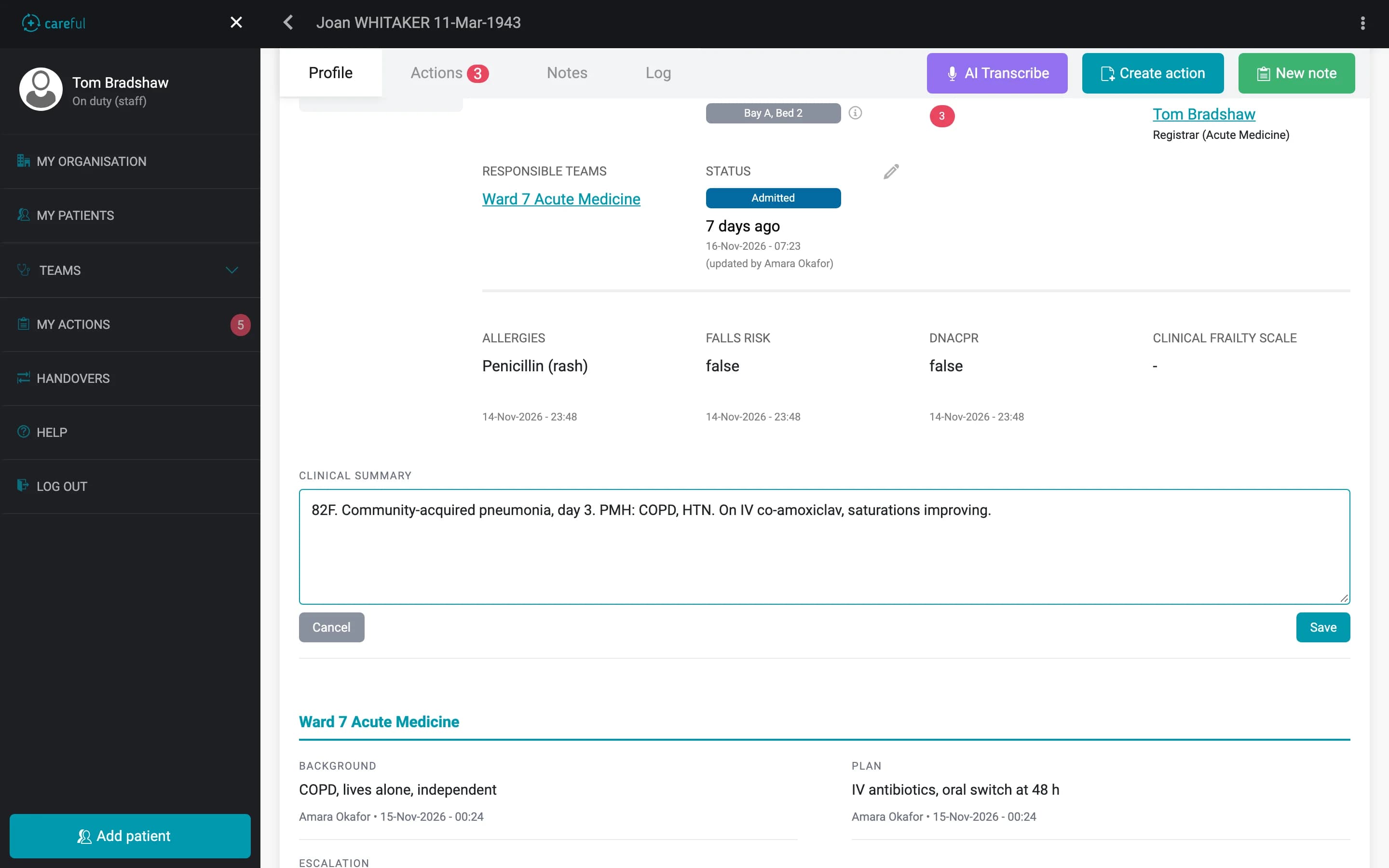 The clinical summary open for editing, with Cancel and Save below it
Tip: Selecting anywhere outside the box also saves your change, instead of doing what you selected. To discard the change, select Cancel.
See earlier versions of the clinical summary
Check what the summary said before, and who changed it, when you need to know how the patient's picture has changed.
- Open the patient profile.
- Select Log.
- Find the Clinical summary changed entries. To shows the text as it was saved, with the Date and the User who saved it.
Tip: Notes added with New note are kept apart from the clinical summary: see View a patient's notes.