
Adding an existing patient puts a patient who already has a CAREFUL record on your team's patient list. Their notes, actions and history stay in the one record.
You can add any patient in your organisation: one that other teams care for, or one discharged from every team. You need not share a team with the patient first.
You can add the patient only to a team you are in. CAREFUL leaves out teams that already care for the patient. If the patient is already in all your teams, CAREFUL says so and goes no further.
The patient stays in their other teams. CAREFUL makes you responsible for them, alongside anyone who already is, and opens their patient profile. If the team's owners and the patient's other responsible users are on duty and use the CAREFUL phone app, CAREFUL tells them.
You can start from Add patient in the menu or in a team's menu. The team's menu selects that team for you.
Add an existing patient to your team
Use the existing record when your team takes on or shares a patient's care. It might be a patient moving from the emergency department to your ward, or one your therapy team starts to see. Colleagues in every team then work from the same notes and actions.
- Select Add patient at the bottom of the menu on the left. On a phone, select the menu button at the bottom of the screen first.
- Type at least two letters of the patient's first or last name, or their whole NHS.No or Medical Record Number.
- Select the patient in the list of matches. CAREFUL fills in their details.
- Select Confirm. CAREFUL opens Add a Patient with the patient's details at the top.
- In Team, select your team. If you are in only one team, CAREFUL fills it in.
- Select Submit. CAREFUL adds the patient to the team and opens their patient profile.
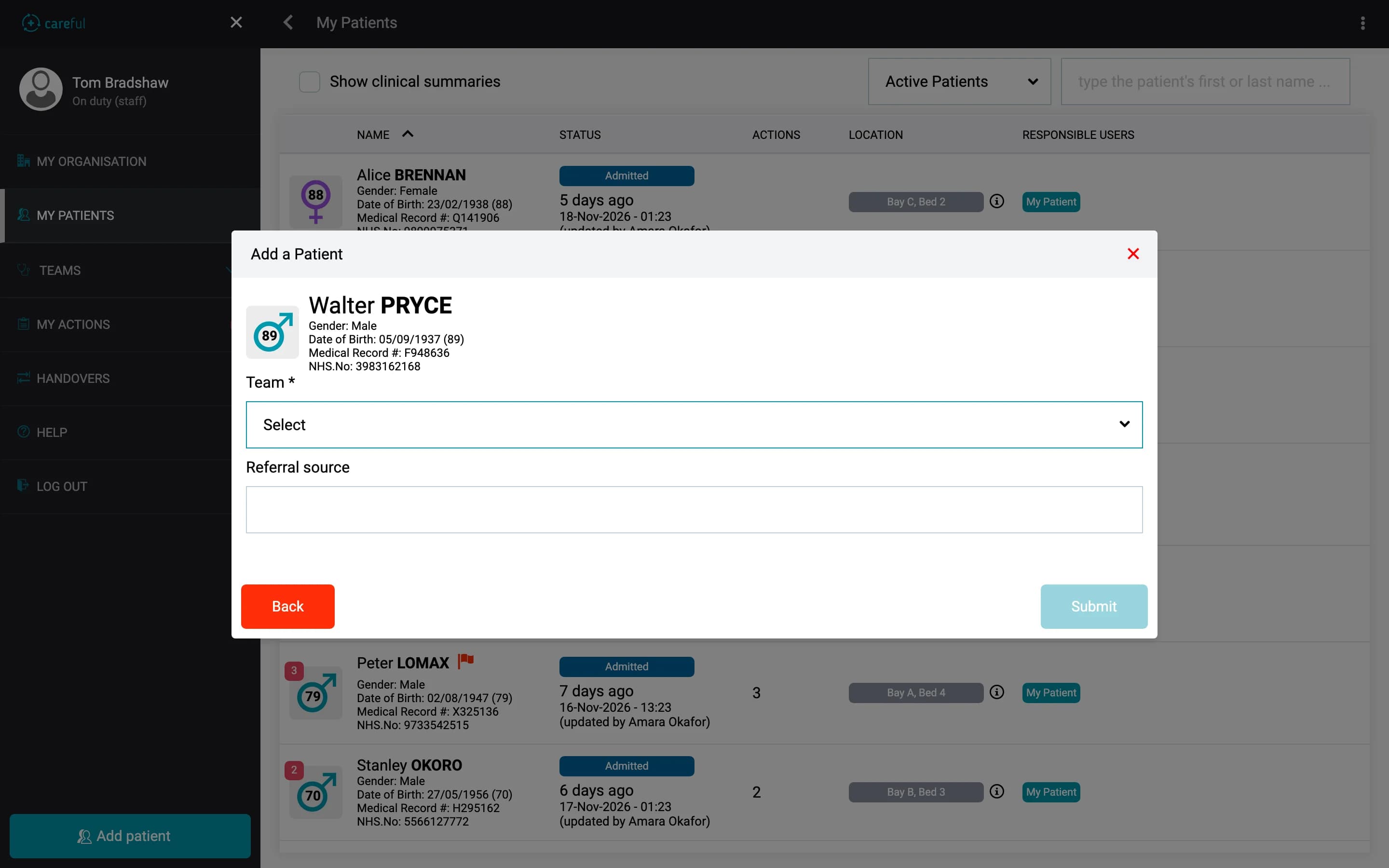 Add a Patient after Confirm: the patient's details at the top, then Team and Referral source
Tip: Referral source records where the patient came from, such as another ward. CAREFUL keeps it for your team only.
Add a discharged patient back to your team
A patient discharged from every team keeps their record, with its notes and history. Add them back when they return, for a readmission or a new referral to your service. Only for such a patient does Add a Patient ask for a new clinical summary and status.
- Find the patient with Add patient, select them and select Confirm.
- In Team, select your team.
- In New clinical summary, write the patient's summary for this stay. If they have one, Current clinical summary shows the old one.
- In Patient status, select the patient's status. Leave it empty and the patient has no status.
- Select Submit. CAREFUL adds the patient to the team, replaces the clinical summary if you wrote a new one and opens the patient profile.
Tip: Only administrators can open the record of a patient who is in no team, and readmit them from there: see Readmit a discharged patient. Everyone else brings the patient back this way.