
Giving up responsibility removes you from the colleagues responsible for a patient. The patient leaves your My Patients list. Colleagues who share responsibility keep it.
You can give up responsibility only for a patient you are responsible for. Relinquish responsibility appears in the patient's menu only then. CAREFUL checks first, and does not let you give it up:
- if you are the only colleague responsible for the patient;
- if, without you, one of the patient's teams would have nobody responsible among its members. CAREFUL checks every team the patient is in, including teams you are not in;
- while you have open actions for the patient. Complete or reassign them first.
A colleague whose account is disabled still counts as responsible. Before you give it up, check that Responsible users names a colleague who is still working.
To pass the patient to one colleague instead, hand them over. A handover moves your open actions for the patient as well as responsibility.
Giving up responsibility does not take the record away from you. While you are in one of the patient's teams, you can still open and edit it. You can take responsibility again later.
CAREFUL does not cancel a handover of the patient that you sent and that is still waiting. If your colleague accepts it, they become responsible for the patient. Cancel it yourself if it no longer applies.
If they use the CAREFUL phone app and are on duty, the colleagues still responsible for the patient are told. The patient's log records Responsibility for patient relinquished.
Give up responsibility for a patient
Give up responsibility when you no longer look after a patient but colleagues still do. You might have covered a bay for the morning, seen a patient for a single review, or moved to another ward. The patient then leaves your My Patients list.
- Open the patient profile.
- Select Relinquish responsibility. CAREFUL checks whether you can, then opens Relinquish responsibility for patient.
- Read the message. If it says you have no outstanding actions with the patient, you can go ahead.
- Select Relinquish responsibility. CAREFUL removes you from Responsible users and closes the window. The page no longer shows My Patient.
Tip: If the window shows a list of actions or a reason instead, CAREFUL has stopped you. The next two cards say what to do.
If you have open actions for the patient
CAREFUL will not let you give up responsibility for a patient while actions for them are still assigned to you. Each one must be completed, or reassigned to a colleague who will do it.
- Read the list. It shows each of your open actions for the patient, under Title, Assigned to and Due.
- Select Go to my actions. CAREFUL closes the window and opens My Actions.
- Complete each of those actions, or reassign it to a colleague who will do it.
- Open the patient profile again and select Relinquish responsibility.
Tip: To pass on the patient and the actions in one step, hand the patient over instead. Your open actions move to your colleague when they accept.
More help: Complete an action and record the outcome · Reassign an action to someone else · Hand over a patient to a colleague
If nobody else would be responsible
CAREFUL will not let you leave a patient, or one of their teams, with nobody responsible. Someone else must take over before you can stop. The team CAREFUL names may be one you are not in, although its message calls you that team's only responsible member.
- Read the message. It names a team that would be left with nobody responsible, and says if you have sole responsibility for the patient.
- Close the window.
- Ask a colleague to take responsibility for the patient, then try again. If the message named a team, ask someone in that team.
- To pass the patient on instead, select Handover Patient, then select a colleague in that team. When they accept, you are no longer responsible.
- If the patient no longer needs that team, discharge them from it, or ask someone in the team to. Then try again.
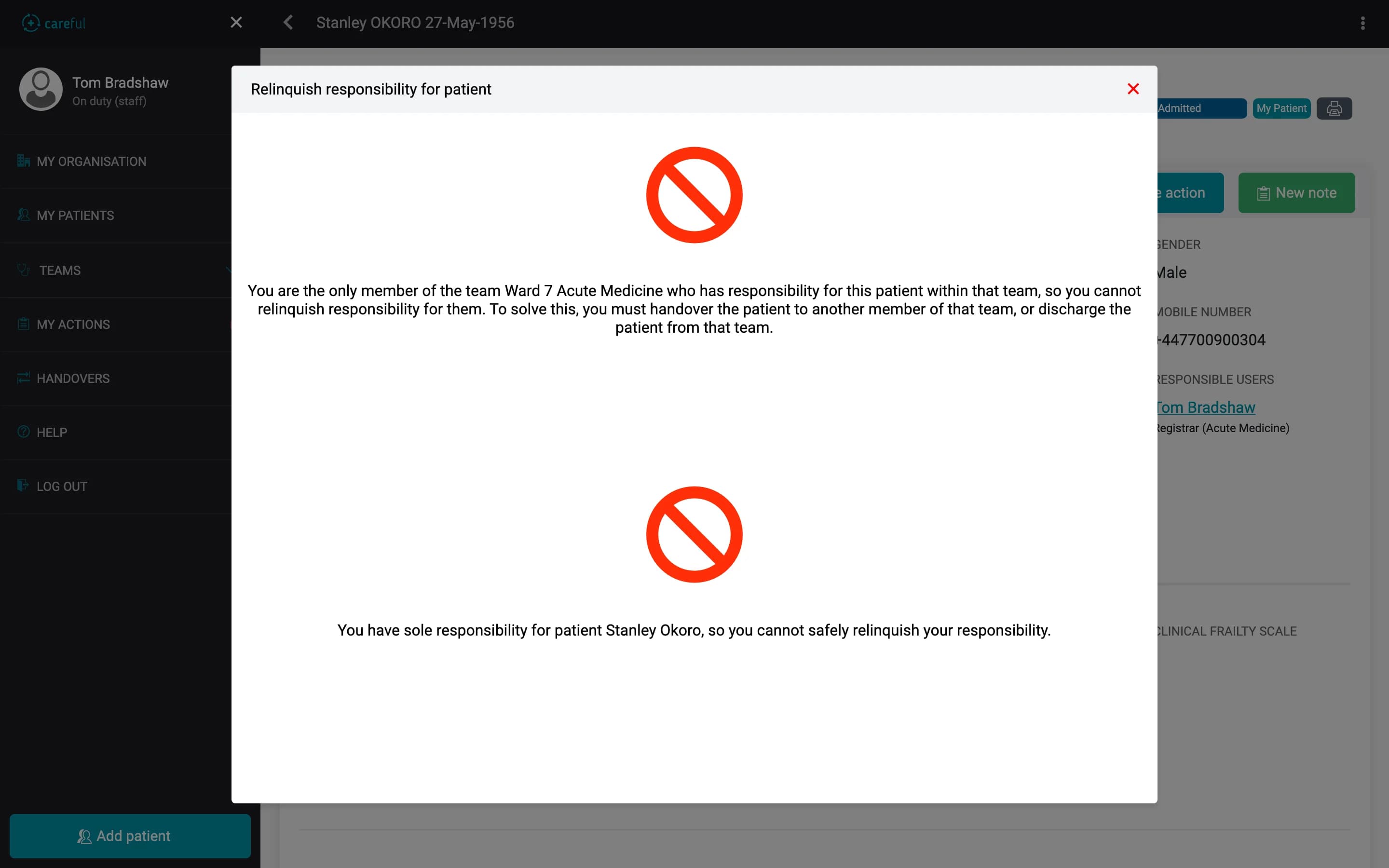 CAREFUL stops you giving up a patient nobody else would be responsible for
Tip: The message names only one team. It does not list your open actions for the patient either. Once you have dealt with that team, CAREFUL may name another or list your actions.
More help: Hand over a patient to a colleague · Discharge a patient from a team