
A handover asks a colleague to take over your responsibility for a patient. When they accept, they become responsible in your place. Your open actions for the patient move to them.
You can hand over only a patient you are responsible for. Handover Patient appears in the patient's menu only then.
You can hand over to anyone in one of the patient's teams, not only your own. An emergency department doctor can hand a patient over to a doctor in Medicine, once the patient is in a Medicine team too. You cannot hand over to yourself, or to a colleague who has not verified their email address or mobile number. Disabled colleagues are not listed. Administrators are no exception: you can choose one only if they are in one of the patient's teams.
Nothing changes until your colleague accepts. Until then, you stay responsible and your actions stay with you. If they reject the handover, or you cancel it, the patient stays with you. A handover does not expire: it waits until one of you acts.
You can have only one handover waiting for each patient. That includes a handover of all your patients, or of your patients in a team. To send it to someone else, cancel the first one. A colleague who is also responsible for the patient can still send their own handover of them.
A waiting handover does not lock the patient record. You and your colleagues can still edit it or discharge the patient. CAREFUL does not cancel the handover when:
- you give up responsibility for the patient;
- a colleague takes your patients;
- the patient is discharged.
If the handover no longer applies, cancel it yourself. Otherwise your colleague can still accept it. They then become responsible for the patient.
If the patient is in none of your colleague's teams when they try to accept, CAREFUL does not let them. The handover waits until they reject it or you cancel it.
If your colleague uses the CAREFUL phone app and is on duty, CAREFUL tells them about the handover. If they are off duty, CAREFUL does not tell them, then or later. The handover waits on their Handovers page. The patient's log records Handover requested.
Hand over a patient
Hand over a patient when a colleague should take over their care. It might be the end of your shift or the start of your leave. It might be a move to another specialty, such as from the emergency department to Medicine. The handover passes on your open actions for the patient as well as responsibility.
- Open the patient profile.
- Select Handover Patient.
- Start typing a name, role or speciality, then select your colleague. Before you type, CAREFUL suggests colleagues, starting with those already responsible for the patient.
- Check the Name and Role CAREFUL shows for them.
- Select Send handover request. CAREFUL sends the request and closes the window.
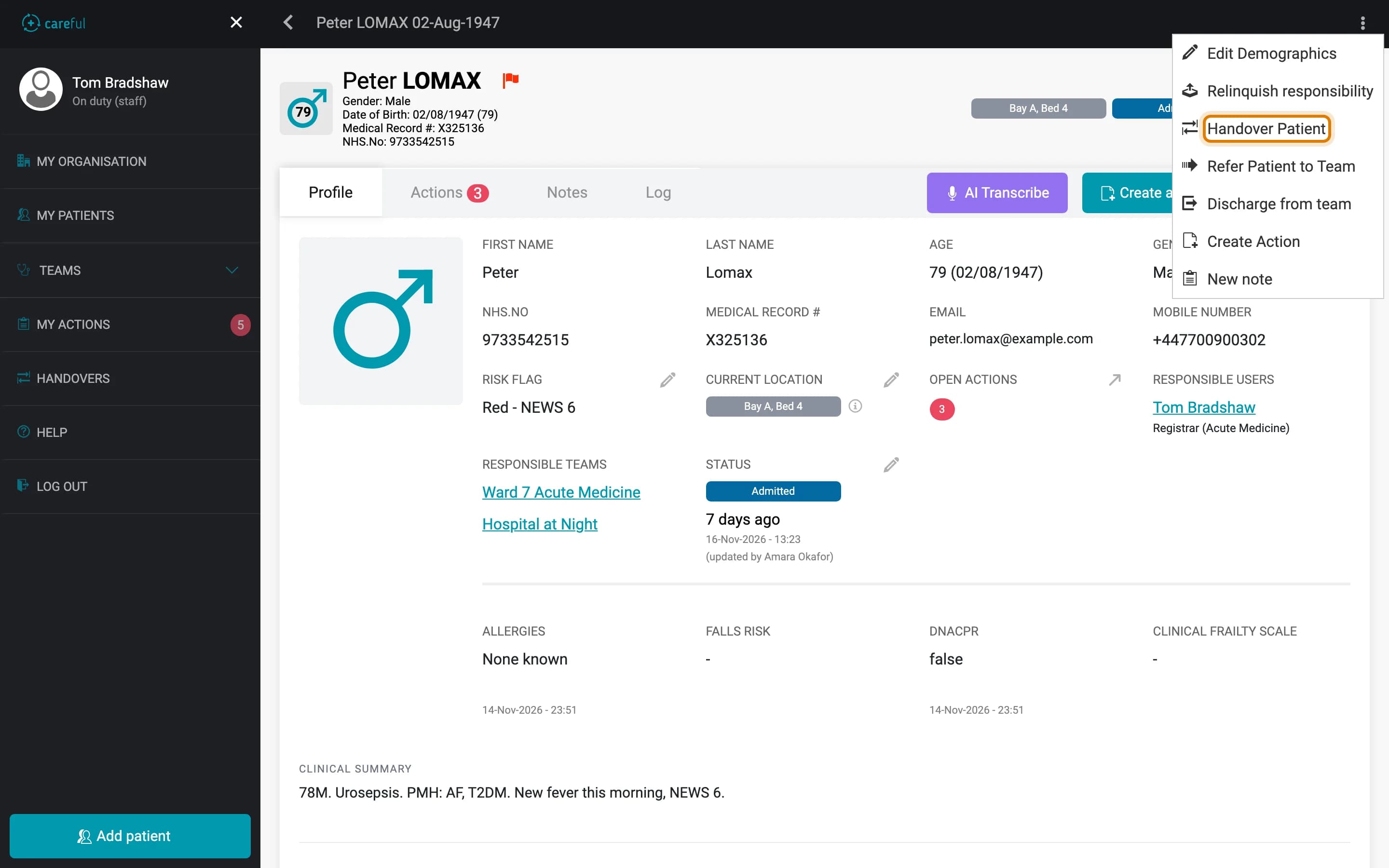 Handover Patient in the patient's ⋮ menu, which shows only for a patient you are responsible for
Tip: A greyed-out name cannot take the patient. The reason follows their role, such as "User is not in a team with patient". A grey dot means the colleague is off duty. You can still choose them, but CAREFUL does not tell them.
Send it to a different colleague
Plans change after you send a handover. Your colleague may have gone off sick, or be too busy to take the patient. You can have only one handover waiting for each patient. Cancel the first one before you send another.
- Select Handovers in the menu on the left. On a phone, select the menu button at the bottom of the screen first.
- Select Sent, then find the patient.
- Select Cancel, then Click to confirm within three seconds. CAREFUL removes the handover from the list.
- Open the patient profile and select Handover Patient again.
- Select the colleague you want, then Send handover request.
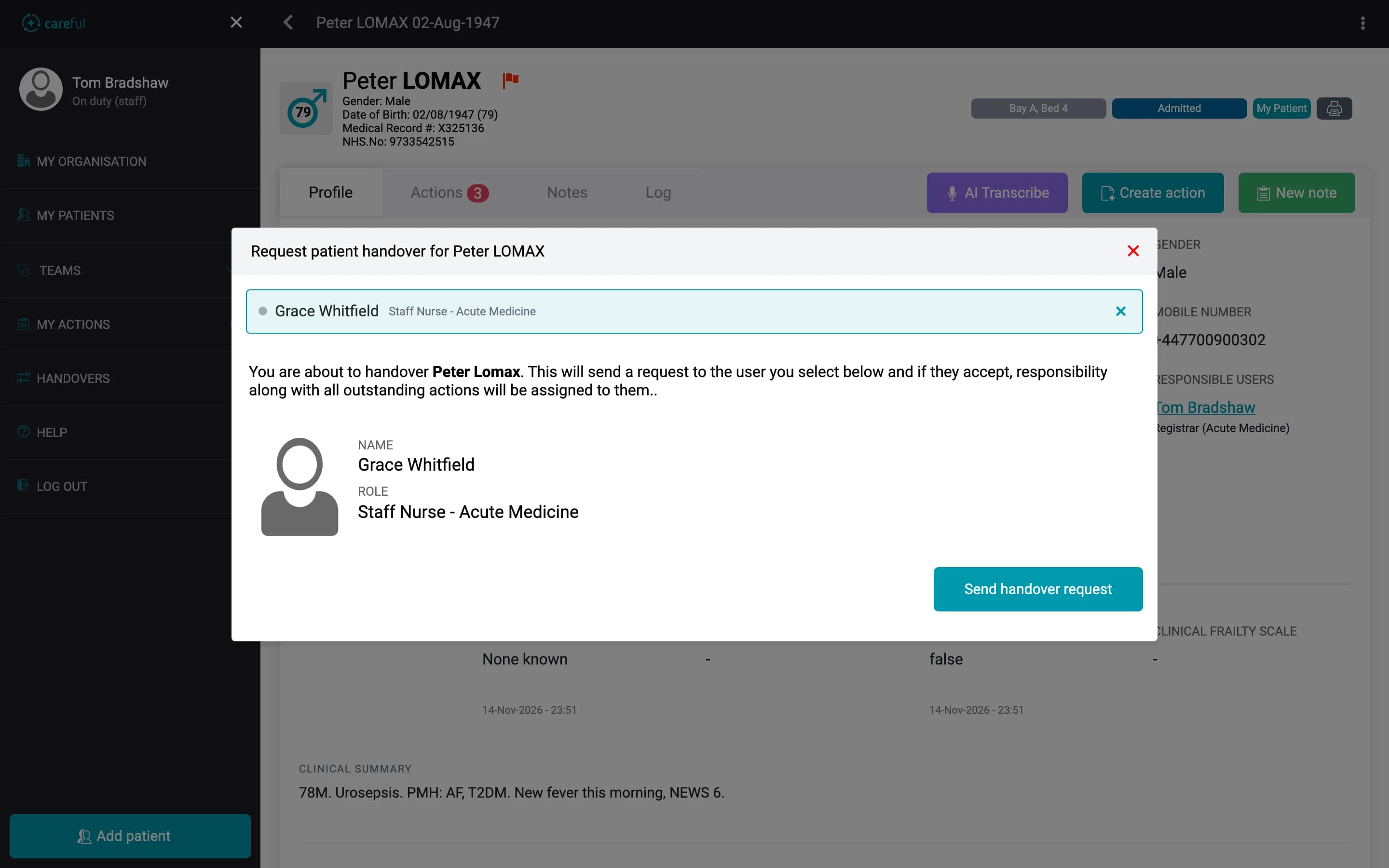 A colleague chosen, with their name and role, and Send handover request
Tip: While a handover is waiting, Handover Patient shows a message naming the colleague you sent it to, instead of the list of colleagues.