
Handover all my patients in this team sends one colleague a single handover of every patient you are responsible for in that team. When they accept, they become responsible for those patients in your place. Your open actions for those patients move to them.
Only members of the team see it in the team's menu, team owners included. Administrators who are not in the team do not. You can choose only another member of the team who has verified their email address or mobile number. Disabled colleagues are not listed.
CAREFUL will not send it if any of your patients in the team is already in a handover you sent that is still waiting. It names those patients. It also will not send it if you are responsible for none of the team's patients, or for more than 500.
Responsibility belongs to the patient, not to the team. So when your colleague accepts, you are no longer responsible for those patients at all, even if they are in another of your teams too.
Your colleague accepts or rejects the whole handover. Nothing changes until they accept: you stay responsible and keep your actions. A handover does not expire. It waits until your colleague accepts or rejects it, or you cancel it.
Giving up responsibility, a colleague taking your patients and discharge do not cancel a waiting handover. If it no longer applies, cancel it yourself.
When your colleague accepts, CAREFUL leaves out any patient who is no longer in one of their teams. That patient stays with you, although CAREFUL reports the whole handover as accepted. So after your colleague accepts, check your My Patients list for any patient who did not move.
If your colleague uses the CAREFUL phone app and is on duty, CAREFUL tells them about the handover. If they are off duty, CAREFUL does not tell them, then or later. On their Handovers page, a handover of several patients shows the first patient's name, how many more there are and the team's name.
Hand over your patients in one team
Use this at the end of a shift on one ward or team, when you work in more than one. A doctor covering two wards can pass each ward's patients to the doctor taking over that ward. A nurse or therapist who works in two teams can do the same for each team at the end of a shift.
- Select Teams in the menu on the left, then the team. On a phone, select the menu button at the bottom of the screen first.
- Select Handover all my patients in this team.
- Start typing a name, role or speciality, then select your colleague. Anyone not in the team is greyed out.
- Select Send handover request. CAREFUL checks your patients in the team, sends the handover and closes the window.
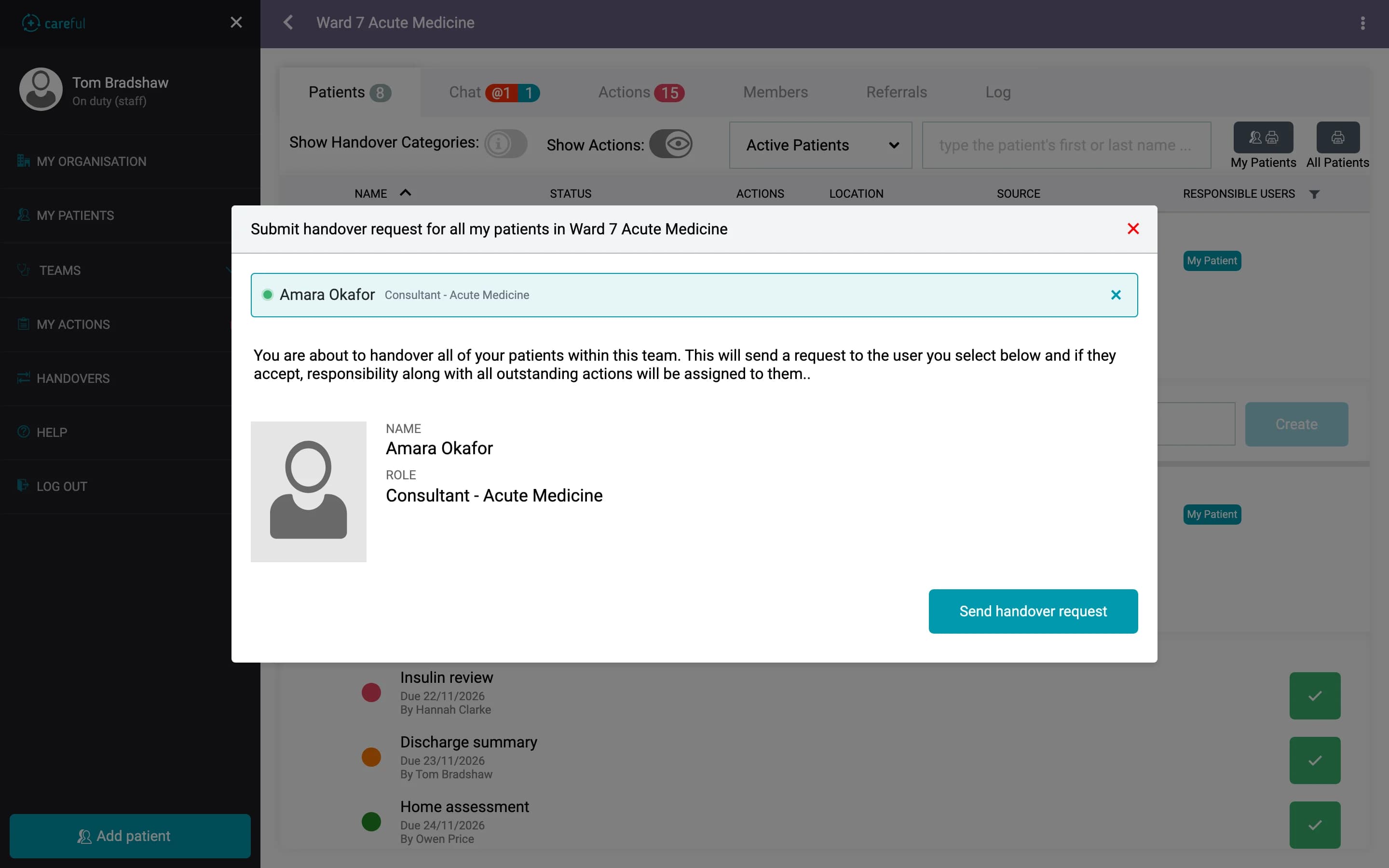 A team member chosen to receive all your patients in the team, with Send handover request
Tip: Before you type, CAREFUL suggests members of the team, with those on duty first.
If CAREFUL will not send it
CAREFUL checks your patients when you select Send handover request. It stops if any of them is already in a handover you sent that is still waiting. Unlike Handover all patients, it does not send the rest without them.
- Read the message. It names each patient who is already in a handover you sent that is still waiting.
- Close the window.
- Select Handovers Sent, and cancel the handovers of those patients: see Cancel a handover you sent.
- Open the team again and select Handover all my patients in this team.
Tip: If the message says you are not responsible for them, you have no patients in this team to hand over. Your own patients show My Patient on the team's patient list.