
Rejecting a handover declines a colleague's request to make you responsible for their patients. Nothing changes for the patients. Your colleague stays responsible for them and keeps their actions.
Only the colleague a handover was sent to can reject it. You reject the whole handover, with every patient in it. CAREFUL does not ask for a reason. You cannot undo a rejection, but your colleague can send a new handover.
If your colleague's account has been disabled, Reject is hidden and you can only accept. A rejection would leave the patients with a colleague who can no longer use CAREFUL.
If your colleague uses the CAREFUL phone app and is on duty, CAREFUL tells them you rejected it. If they are off duty, CAREFUL does not tell them, then or later. Either way, the handover leaves their Sent tab. CAREFUL sends them no reason. Tell your colleague yourself if they need to find someone else. The patient's log records Handover rejected.
Reject a handover
Reject a handover that was meant for someone else, or one you cannot take on. The patients may be on a ward you are not covering, or you may be going off shift yourself. Your colleague stays responsible until someone accepts a handover from them.
- Select Handovers in the menu on the left. On a phone, select the menu button at the bottom of the screen first.
- On the Received tab, find the handover. To see every patient in it, select the row.
- Select Reject. For three seconds, the button reads Click again to reject.
- Select Click again to reject. CAREFUL removes the handover from your list.
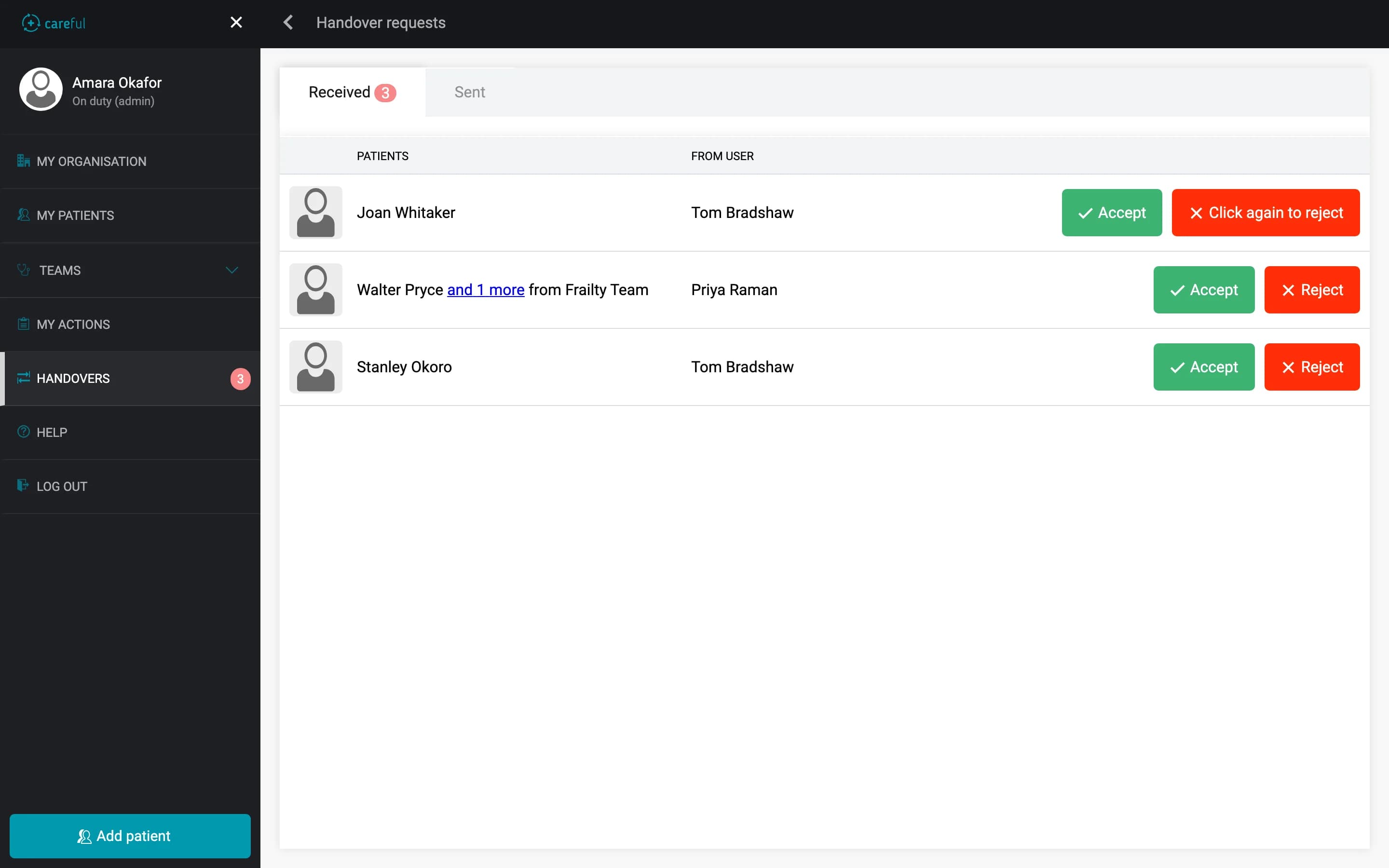 After Reject, the button reads Click again to reject for three seconds
Tip: You cannot accept only some of the patients. Accept the handover and hand the others on, or reject it and ask your colleague to send separate handovers.