
Cancelling a handover withdraws it before your colleague answers. Nothing changes for the patients: you stay responsible for them and keep your actions.
Only you can cancel a handover you sent, and only while it is waiting. Once your colleague accepts or rejects it, it leaves your Sent tab. You cancel the whole handover, with every patient in it. You cannot undo it, but you can send a new handover of the same patients straight away.
CAREFUL does not tell your colleague. The handover disappears from their Received tab. Tell them yourself if they were expecting it.
CAREFUL does not cancel a handover for you when:
- you give up responsibility for a patient in it;
- a colleague takes your patients;
- a patient in it is discharged.
If the handover no longer applies, cancel it yourself. Otherwise your colleague can still accept it. They then become responsible for each patient in it that they still share a team with.
The patient's log records Handover cancelled.
Cancel a handover
Cancel a handover when plans change: your colleague has gone home, you are staying on, or you chose the wrong person. To send it to someone else, cancel it first. Each patient can be in only one waiting handover from you.
- Select Handovers in the menu on the left. On a phone, select the menu button at the bottom of the screen first.
- Select Sent. It lists the handovers you sent that are still waiting for an answer.
- Find the handover. To see every patient in it, select the row.
- Select Cancel. For three seconds, the button reads Click to confirm.
- Select Click to confirm. CAREFUL removes the handover from the list.
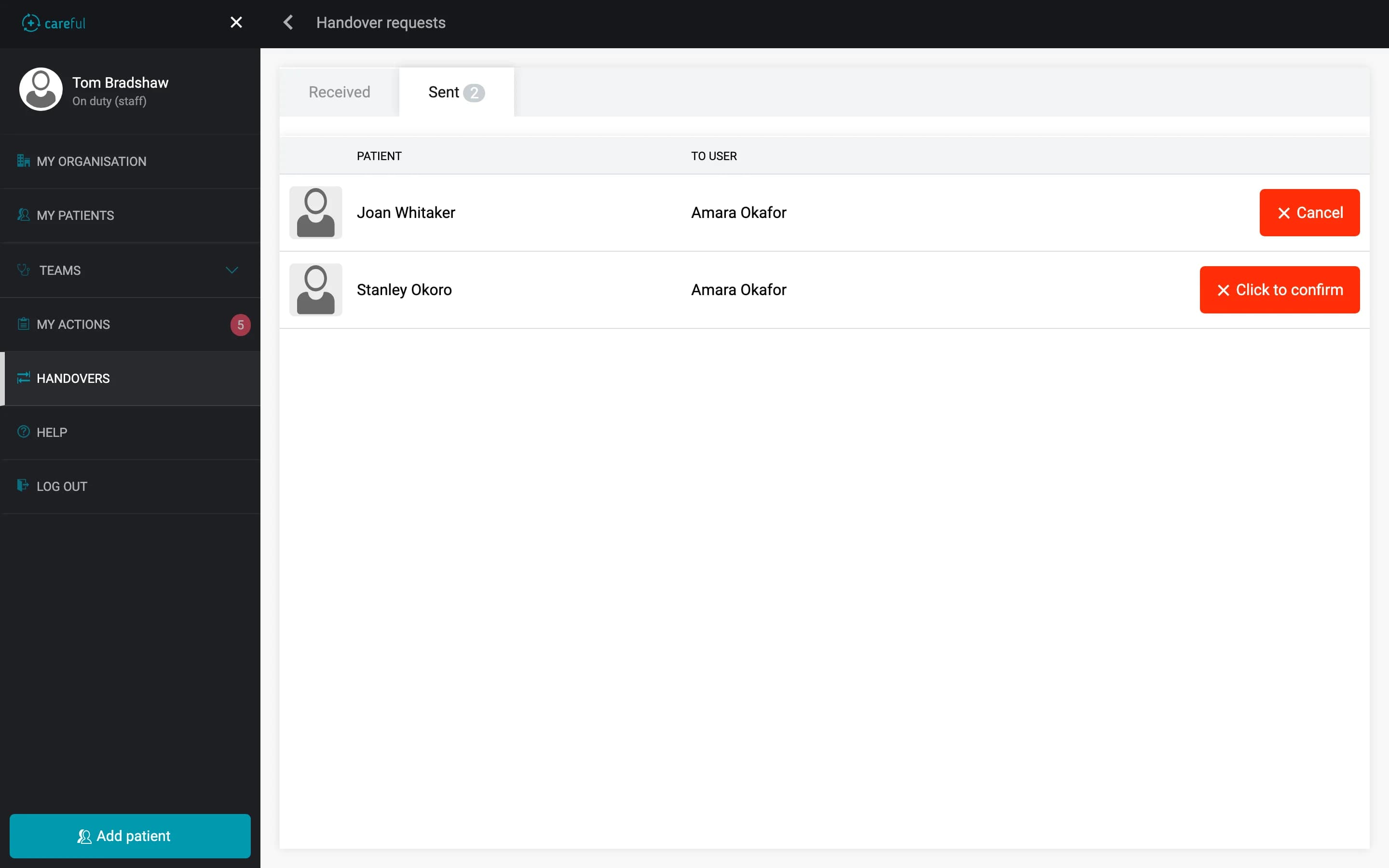 After Cancel on the Sent tab, the button reads Click to confirm for three seconds
Tip: If Account Disabled shows under your colleague's name, they can no longer answer. Cancel the handover and send it to someone else.