
Adding someone to a team puts them on its Members tab and gives them its patient list. You choose whether they join as a member or as a team owner.
Only team owners and administrators can add people to a team. Team owners can add them to the teams they own. Administrators can add them to any team, and can add themselves to a team they are not in.
You can add anyone in your organisation whose account is not disabled. Disabled colleagues do not appear in the search. Colleagues already in the team appear greyed out, marked "User is already in team".
You can add a colleague who has not yet accepted their invitation. The Members tab marks them unverified. Until they accept it, the action and handover pickers grey them out.
CAREFUL adds them at once. Adding someone does not make them responsible for any patient. If they use the CAREFUL phone app, CAREFUL tells them, whether or not they are on duty. It also tells the team's other team owners who are on duty. If the team uses chat, they join its chat room. The team's log records User added to team.
Add a colleague to a team
Add a colleague when they start working with the team. They might be a new starter on the ward, a doctor rotating in or a therapist who joins the multidisciplinary team. They can see the team's patients as soon as you add them.
- Select Teams in the menu on the left, then the team. On a phone, select the menu button at the bottom of the screen first.
- Select at the top of the team page, then Add user to team.
- Under Search for an existing user, type the start of the colleague's first or last name, or part of their job title or speciality. Select them in the list.
- Under Team role, leave Staff to add them as a member, or select Team Owner.
- Select Add Existing User. CAREFUL adds them and closes the window.
- Select Members and check the colleague's row under Team Role. If it shows Team Owner but you chose Staff, select Demote to Team Member Yes.
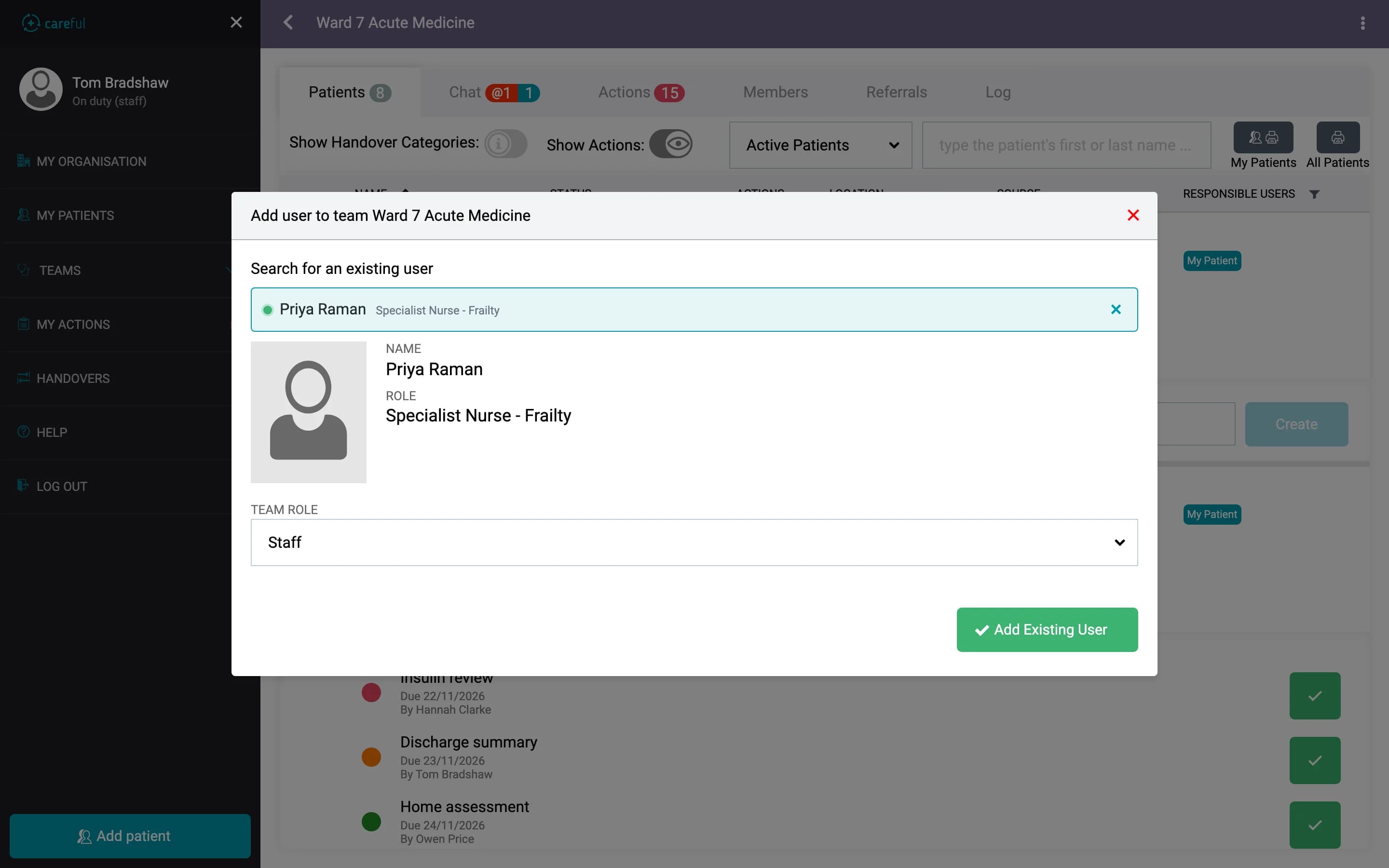 Add user to team with a colleague selected, and Team role to choose before Add Existing User
Tip: Team role calls a member Staff, but the Members tab calls the same role Member. To change a role later, see Make someone a team owner, or change them back to a member.
Invite a new colleague to CAREFUL and the team
A new starter or a locum may have no CAREFUL account yet. You can invite them to CAREFUL and add them to the team in one step. Team owners can do this for the teams they own, without asking an administrator.
- Open the team and select Add user to team.
- Before you select anyone, select Invite New User. CAREFUL opens Invite new user.
- Enter their First Name and Last Name.
- Enter their Mobile Number or Email, or both.
- Under User role, select Staff to add them as a member, or Team Owner.
- Select Submit. CAREFUL invites them and adds them to the team.
Tip: They show as unverified on the Members tab until they accept the invitation. For the rest of the window, see Invite a new user to your organisation.